Buyer Tips
Best Time to Buy Solo Ads
People ask when to buy as if there is a magic month. There is not. The best time to buy solo ads is the day your funnel can actually hold the traffic. Here is how to know.
October 18, 2026 · 5 min read
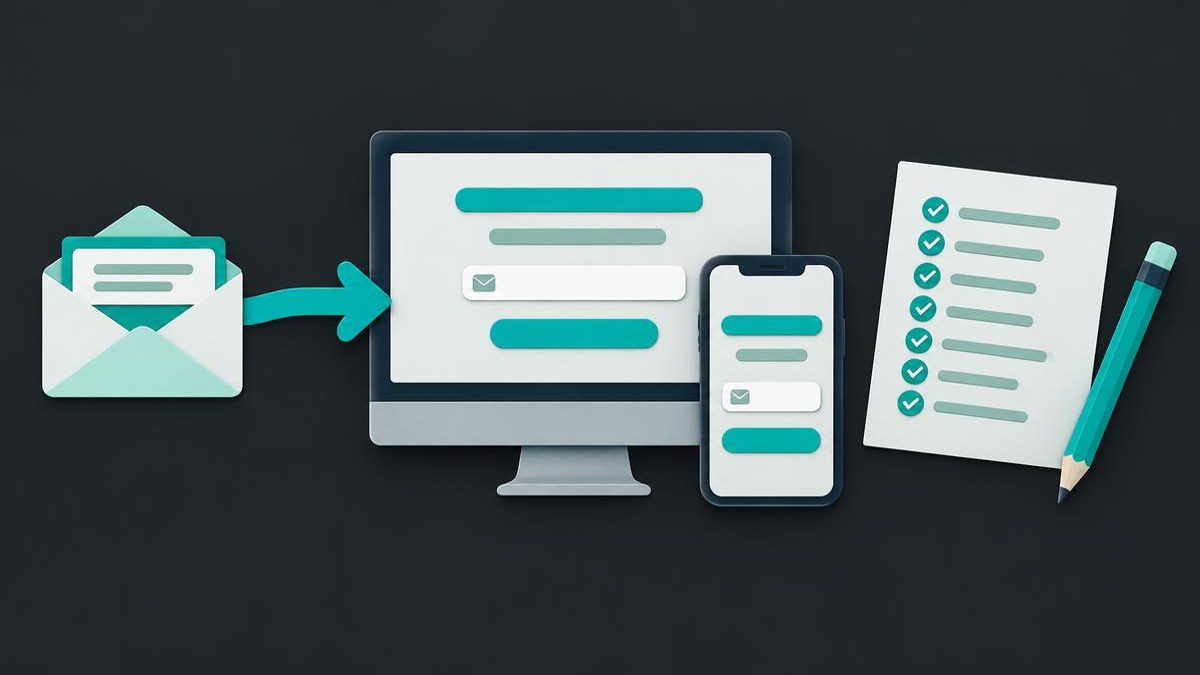
To get a better opt-in rate from solo ads, I tell buyers to fix the promise, remove distractions, simplify the form, and check the page on a phone before ordering. Match the page to the email and judge it after at least 500 clicks. I sell clicks and paid targeting, not guaranteed subscribers.
I have spent 12 years selling solo ads. My side of the order is sending the clicks and the targeting you paid for. Your side is giving those visitors a clear reason to share their email address.
A squeeze page is the page where that invitation happens. It offers something useful in exchange for an email signup. An opt-in is a visitor choosing to subscribe. Your opt-in rate describes how many of the visitors you measure take that action.
This is not another guide to building a page from scratch. My squeeze-page building guide covers that. Here, I am talking about the checks I want a buyer to make on an existing page before sending my traffic to it.
I cannot promise that a tidy page will produce subscribers. I can explain how to remove avoidable confusion so you can judge the offer rather than a broken form.
I begin with the visitor's question: what am I getting, and why would I want it?
A page can look polished and still leave that unanswered. A large banner, an introduction about your business, and a menu of destinations do not explain the exchange. Put the offer and the signup together instead of making the reader assemble them.
Keep supporting details that clarify the offer. Remove competing invitations that pull attention away from it. You are not trying to display everything you know. You are helping someone decide whether this particular resource is relevant.
I would rather see plain language and a working form than an elaborate page whose purpose is hard to find.
I also tell buyers to avoid sending solo ad traffic straight to a shared company page. When the same page is promoted repeatedly by different people, the audience can become saturated with that offer. A visitor may have seen it before, and a company page may give you little control over the headline, signup form, or distractions. Use a dedicated squeeze page with your own relevant offer and collect subscribers with their consent before introducing the company offer. Your own page does not guarantee opt-ins or remove audience overlap, but it lets you control the invitation you are paying to put in front of people.
I sell solo ads to buyers in the make-money-online niche, including affiliate marketers building an email list. Your page should speak to that interest directly. You do not have to hide the subject to avoid an income claim. Name the practical task your resource helps with, rather than promising what someone will earn.
For example, I would replace a vague invitation such as "Unlock your potential" with "Build your first affiliate email list with a practical checklist." Another option is "Get a beginner checklist for choosing an affiliate offer." These examples belong in the make-money-online niche, but they describe learning and setup rather than promised commissions. Use an example only when your resource actually covers that task.
Your next line can explain who the checklist suits and what it covers. If it helps a beginner connect an affiliate offer, a signup page, and a welcome email, say that. Show the steps the reader will learn. Do not imply that downloading it creates a profitable business or solves every list-building problem.
Read the headline, supporting sentence, and giveaway together. If they describe different things, fix the wording or the giveaway. My article about choosing a relevant lead magnet explains how the resource behind the page shapes the invitation.
I recommend asking for the email address needed for the signup rather than collecting unrelated details at this stage. Every requested detail should have a reason. If a name is not needed to deliver the resource, you can ask for it later.
Make the button describe the resource being requested. For the affiliate-list example, "Send me the affiliate checklist" is clearer than a label that gives no clue what happens next. The button should agree with the headline, not introduce a different offer.
Then submit the form yourself. Check an incomplete entry as well as a valid address. An error should explain what needs correcting, and a successful signup should lead somewhere sensible.
Confirm that the subscriber is recorded and can receive the promised resource. A button that changes appearance is not proof that the signup worked. Follow the process through to delivery before paying for visitors.
I want buyers to open the actual page on a phone, not rely only on a smaller preview of the desktop layout. Check the headline, field, button, and any notices together.
Aim to make the email field easy to find without scrolling past a large picture or a long introduction. Do not squeeze everything into tiny text just to force it onto a screen. Readability and a usable form matter more than an arbitrary layout rule.
Tap the field and check what happens when the keyboard opens. Can you still reach the button? Can you read an error? Does a popup cover the form? Is the resource clear before you submit?
Also open the page on a mobile connection. If an unnecessary animation or video delays access to the form, simplify it. The page should not depend on watching a presentation before someone can understand the invitation.
If you include a testimonial, use a real customer's name and result, with their permission. Keep the wording faithful to what they actually said and do not suggest that another visitor will get the same outcome.
A testimonial is optional. If you do not have appropriate permission or a genuine result to describe, leave it out. Do not fill the gap with a stock identity, an invented quote, or a claim that only sounds believable.
You can show what the resource contains instead. A truthful preview helps the reader understand the offer without pretending that someone has already achieved a result.
Check that any proof supports this particular giveaway. Praise for an unrelated service does not establish that the resource on this page will be useful. Keep the page honest even when the honest version is less dramatic.
Remove unrelated menus, social links, competing offers, and decorative elements that interfere with the signup. Keep the information a visitor needs to understand what they are agreeing to.
That includes accessible privacy information and an accurate explanation of the email signup. Do not hide required disclosures or remove legally necessary links in pursuit of a cleaner page. A focused page can still be transparent.
I also check what happens after submission. The thank-you page should confirm the signup and explain how to access the promised resource. It should not leave the reader wondering whether the form worked.
For that next step, read my guide to planning the thank-you page. Getting the email address is not a reason to forget the promise that earned it.
The email and the page should describe the same resource for the same audience. If the invitation offers a checklist for building an affiliate email list, the page should deliver that checklist, not switch to a company signup or a different business opportunity.
Give accurate offer details with your order. Keep the destination consistent with those details, and do not quietly replace the giveaway while a campaign is running.
This also means choosing targeting that fits the intended reader. A clearly written page cannot make an irrelevant resource relevant to everyone. My explanation of what targeted website traffic means separates audience fit from promises about conversions.
I sell the clicks and the targeting purchased. The visitor decides whether to subscribe, and your page remains your responsibility. Matching the invitation helps you present the offer honestly. It does not guarantee acceptance.
Before ordering, I would work through this checklist on the actual destination page:
A missing check is a job to finish, not a reason to assume the traffic will compensate. Go through the form again after making changes.
I recommend at least 500 clicks before judging a page because that is the minimum for viable data. It is not a promise of an opt-in rate, subscribers, or sales.
Define what you are counting before the campaign starts. Keep delivered clicks, measured page visits, and completed signups separate. If those records disagree, investigate the measurement rather than choosing the number that looks better.
Avoid changing the headline, giveaway, and form together while trying to learn what helped. Keep notes on the page used for each order and compare like with like. Read how to interpret an opt-in rate alongside your own campaign records.
When the page passes the checklist, order 500 clicks and send them to that checked page. I supply the clicks and the targeting you purchase. Your page, offer, and follow-up determine what happens next.
People ask when to buy as if there is a magic month. There is not. The best time to buy solo ads is the day your funnel can actually hold the traffic. Here is how to know.
October 18, 2026 · 5 min read
One big order or a steady stream every month? For anyone past the testing stage, consistent traffic usually wins. Here is why, and how the monthly autopilot plans work.
October 15, 2026 · 4 min read
They opted in, then went silent. Here are the real reasons solo ad leads stop opening: the first email was too slow, it landed in the wrong folder, the giveaway pulled the wrong people, or the traffic was low intent. And the fix for each.
October 14, 2026 · 5 min read